Web · Mobile · Desktop
One workspace, on every screen.
Use Inovent Workforce OS in the browser, on Android and iOS phones, and on Windows — with the same account, the same permissions and the same robots.
Web
The full platform in your browser.
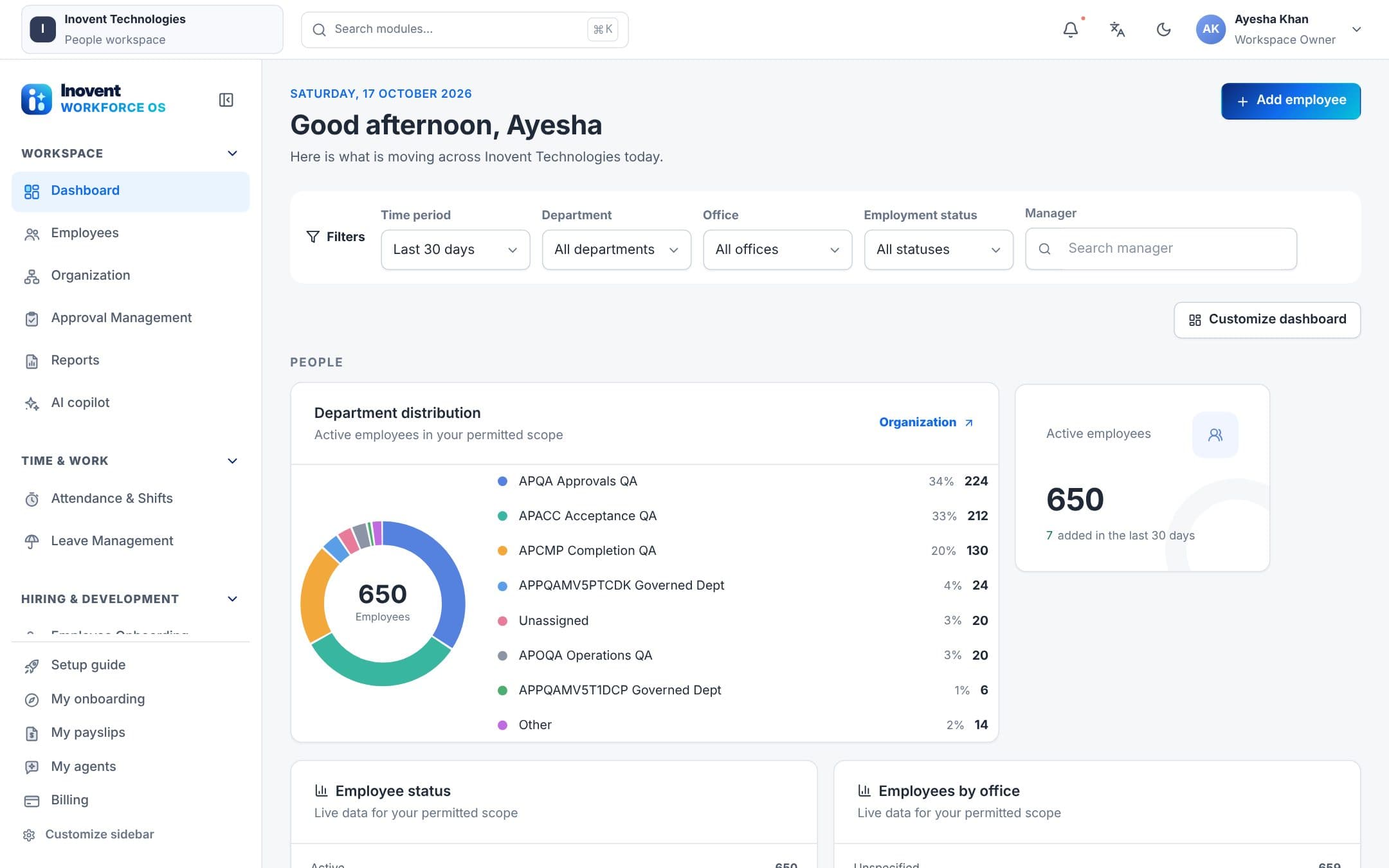
Every module, the AI Command Center, approvals and reports — nothing to install.
- All HR, learning, automation and AI modules
- AI Command Center for robots
- Reports with print, PDF, Excel and CSV
- 15 languages, including right-to-left
- Light and dark theme
- Works on phones and tablets too
Mobile — Android & iOS
Everyday HR in your pocket.
Built for employees and managers on the move.
- Check in and out, with geofence and location rules
- Team attendance for managers
- Apply for leave and see balances
- Payslips on your phone
- Approve or reject requests
- Expense claims, travel requests and helpdesk tickets
- Notifications inbox and search
- Copilot and robot requests
- Light and dark mode, right-to-left languages
Rolled out by your workspace administrator. Ask us about distribution for your company.
Desktop — Windows
A desktop app that robots can work through.
The Windows app opens your company's workspace in a secure window — and, if you allow it, lets robots do local work.
- Your workspace in its own secure window
- Tray icon, notifications and start at sign-in
- Downloads go straight to your Downloads folder
- A clear offline page that reconnects by itself
- Robot work in folders you approve
- Optional command line, decided at the computer
Available as an installer and as a portable app.
Robot work, on your terms
Pair the computer with a one-time code from your workspace. Robots can then read and list files in the folders you approved, save reports there, print PDFs and open links. Every step still goes through the robot's permissions and approvals.
How the desktop agent worksQuestions
Apps, answered.
How do we get the mobile and desktop apps?
Your workspace administrator rolls them out. Talk to us and we'll help you plan the rollout for your team.
Do the apps need their own accounts?
No. People sign in with their usual workspace account, and the apps follow the same roles and permissions as the web.
Does the desktop app give robots access to the whole computer?
No. Robots can only list and read files in folders the person at the computer approved. Running commands is off by default and is decided at the computer, not from the server.
Bring your whole team on board.
Start in the browser today; we'll help you roll out the mobile and desktop apps.