 Inovent Automate · Business Automation
Streamline the work between people, systems and robots.
Inovent Automate connects a multi-level approval engine, business-event triggers, scheduled reports and alerts, and autonomous workflows — so work starts on time and every decision is recorded.
Streamline work. Accelerate results.
- Rule-based, multi-level approvals
- Business events and schedules start the work
- Scheduled reports and alerts
- Retries, dead-letter list and audit
What's included
Everything in Inovent Automate
Every item below is available in the product today.
Approvals
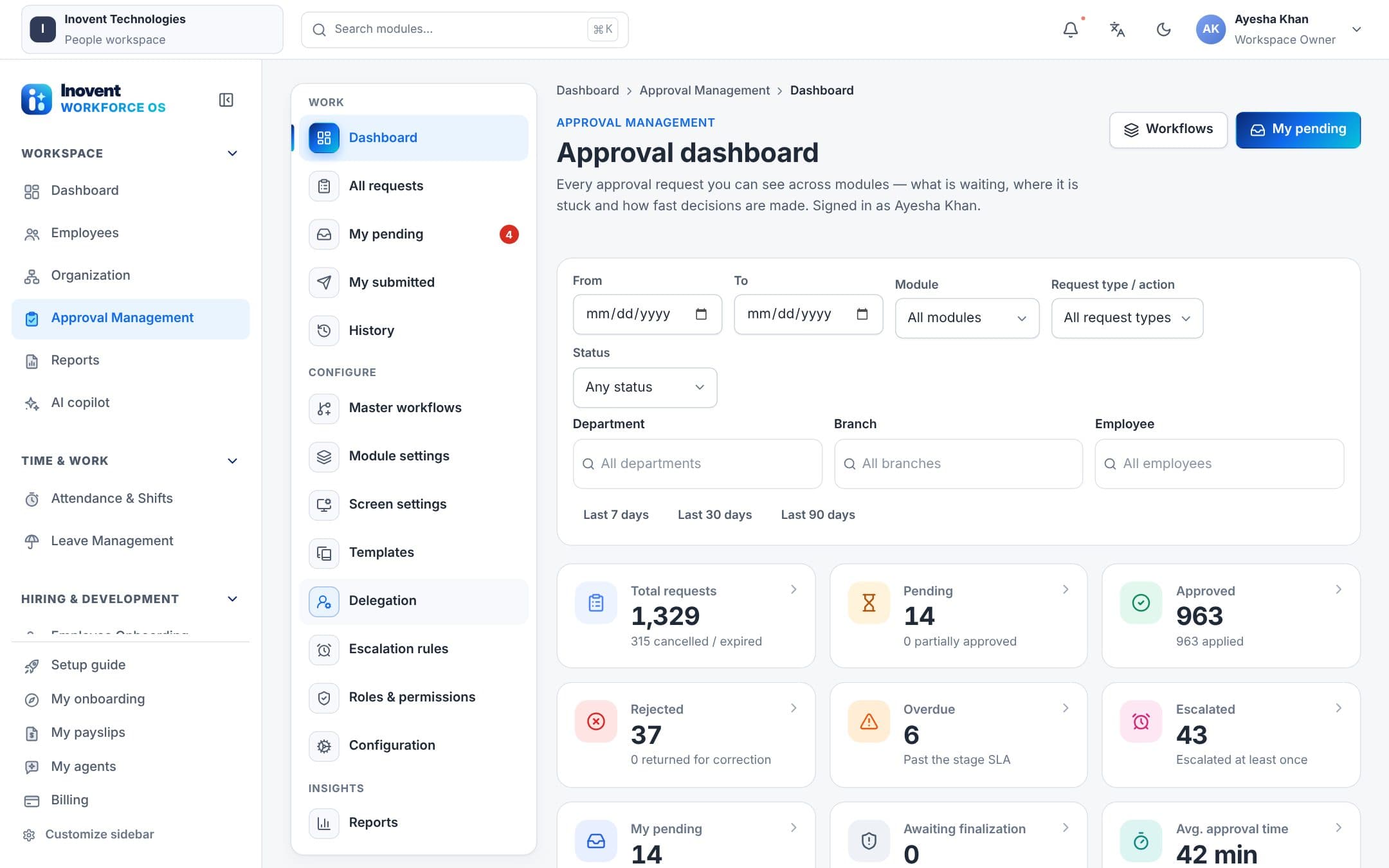
- Approval enginePolicies per module, screen and action, with structured rules, stages, approver types and a direct-action guard.
- Delegation & escalationDelegates, reminders, SLA escalation and expiry, handled by a background worker.
- Return & clarifyRequests can be returned, resubmitted, withdrawn or sent back for clarification.
- Versioning & auditApproval workflows are versioned and every decision is audited.
Triggers & schedules
- Business automationChoose which business events and schedules start robot work — for example a new employee or a closed attendance period.
- Autonomous workflowsMulti-step workflows robots run, with templated arguments and structured hand-offs.
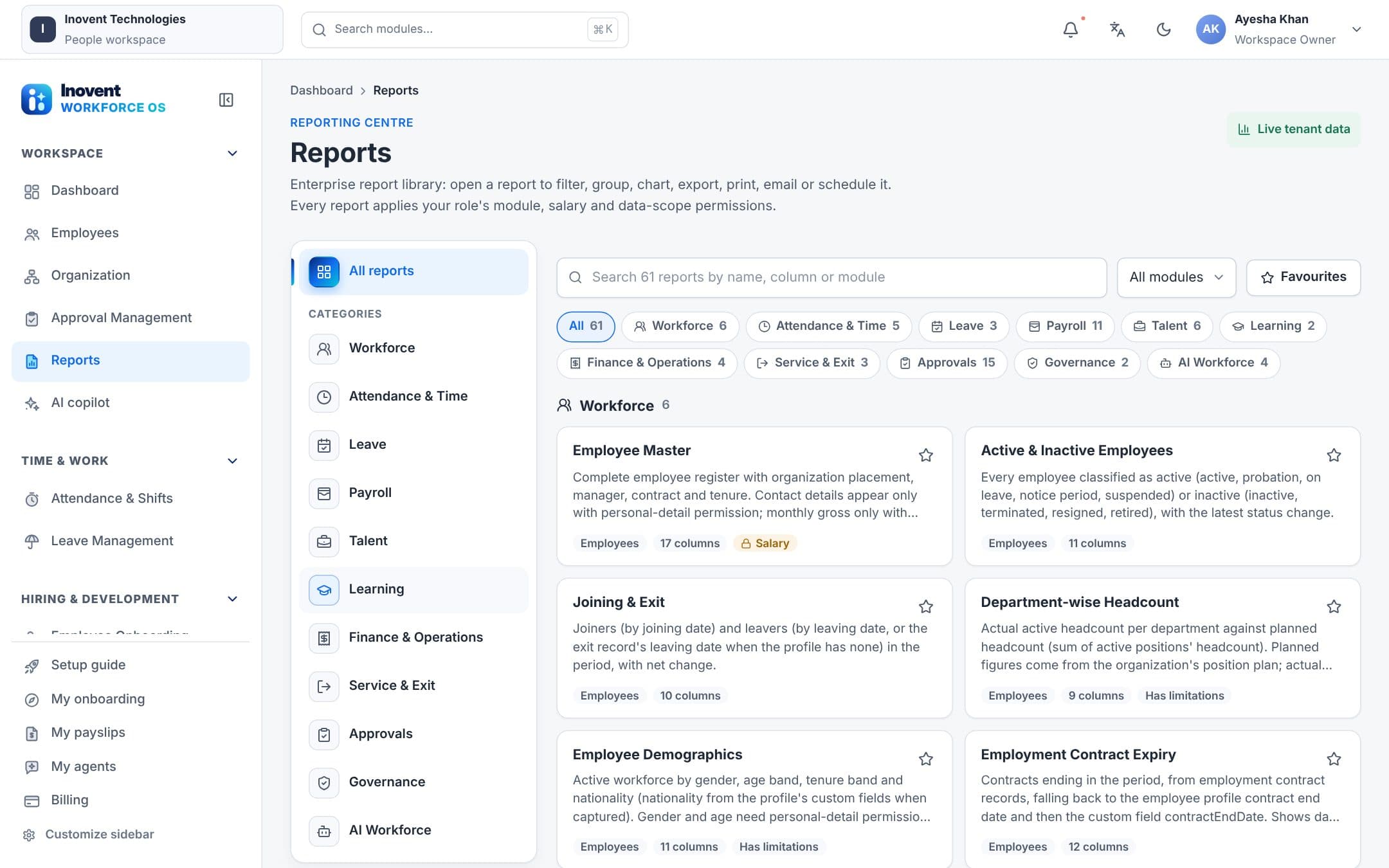
- Scheduled reportsPick a report, filter employees, choose recipients, frequency and data range.
- Scheduled alertsExpiry, probation, leave and attendance alerts before, on or after the date, with delivery logs.
Reliability
- Durable task queueRetries with backoff, a dead-letter list and stale-lock recovery.
- Budgets and limitsRate limits, concurrency and spending budgets stop runaway automation.
- NotificationsIn-app notifications and email delivery with failure tracking.
- Excel in, Excel outValidated imports and exports for bulk changes, with review before anything is saved.
Screens
See it in the product.
Use cases
Where teams use it every day.
Approvals that don't stall
Approvers get reminders, overdue steps escalate, and delegates cover holidays.
Reports in the right inbox
Monthly payroll and attendance reports go to managers automatically, in PDF or Excel.
Events that start work
A new employee triggers mandatory training; a closed attendance period triggers payroll input checks.
How robots help
Robots prepare. People decide.
Robots plug into the same automation: they're started by triggers and schedules and submit requests to the same approval engine.
- Operations Reporting RobotBuilds the Monday business operations summary and schedules report delivery.
- Finance & Billing RobotReconciles expenses, flags anomalies and checks billing on a schedule.
- Approval remindersRobots remind approvers about requests waiting too long — they never decide.
Automation follows your approval policies. Robots can submit requests, but only people approve them.
One platform
Works together with the rest of Inovent Workforce OS.

Inovent HCM
Human Capital Management
People. Performance. Possibilities.
Explore Inovent HCM
Inovent Agents
AI Robot Employees & AI Agents
Digital teammates for a smarter workforce.
Explore Inovent Agents
Inovent Learn
Learning & Training
Develop skills. Empower growth.
Explore Inovent Learn
Inovent Voice
AI Call Center
Every conversation powered by AI.
Explore Inovent VoiceInovent Automate
Business Automation
Streamline work. Accelerate results.
Explore Inovent Automate
Inovent Intelligence
AI Analytics & Routing
Smarter decisions. Higher performance.
Explore Inovent Intelligence
Questions
Inovent Automate, answered.
Do I need to code workflows?
No. Approval policies, triggers, scheduled reports and alerts are set up in screens; robots come with ready-made jobs and schedules.
What happens when an automation fails?
Failed tasks retry with backoff, then move to a dead-letter list where you can see why and retry them.
Put Inovent Automate to work.
Start a workspace today, or book a demo and we'll walk you through it with your own processes in mind.